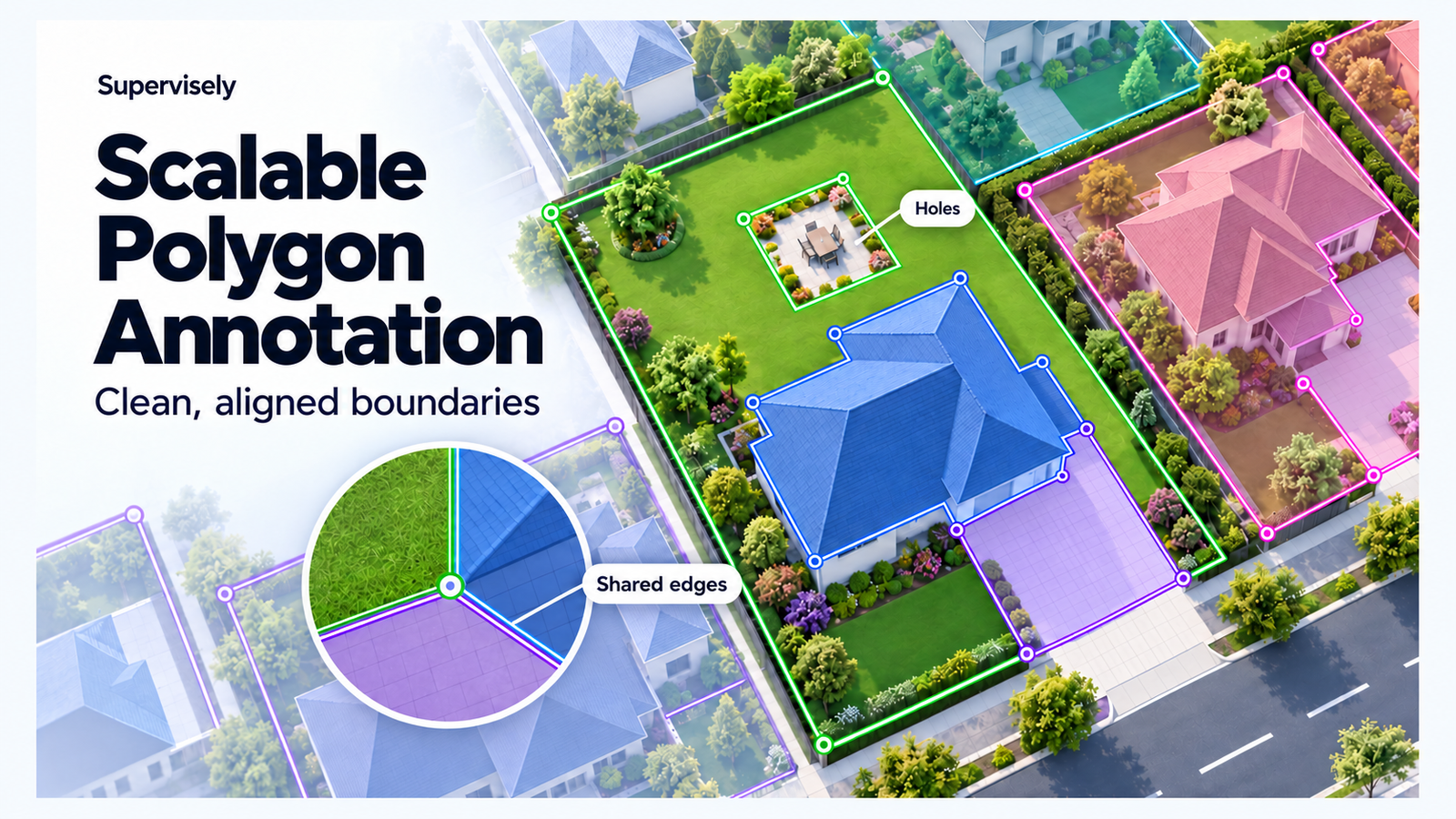










New Scalable Polygon Annotation: Clean, Aligned Boundaries for Geospatial Data

All computer vision
in one platform.

Curate data, annotate images, video, 3D point clouds and medical scans with AI, then train, evaluate and deploy models — in the cloud or fully on-premise.

Book a demo On-prem trial
Try for free No card needed
13,000+
businesses choose Supervisely
120,000+
users in the community
1B+
labels created in the online version

From raw data to a deployed model. And back again.

Every stage works on the same data, labels and models, so nothing is exported between tools. And the loop closes: each model you deploy pre-labels the next batch, so every round starts ahead of the last.

01Curate

Find the data worth labeling

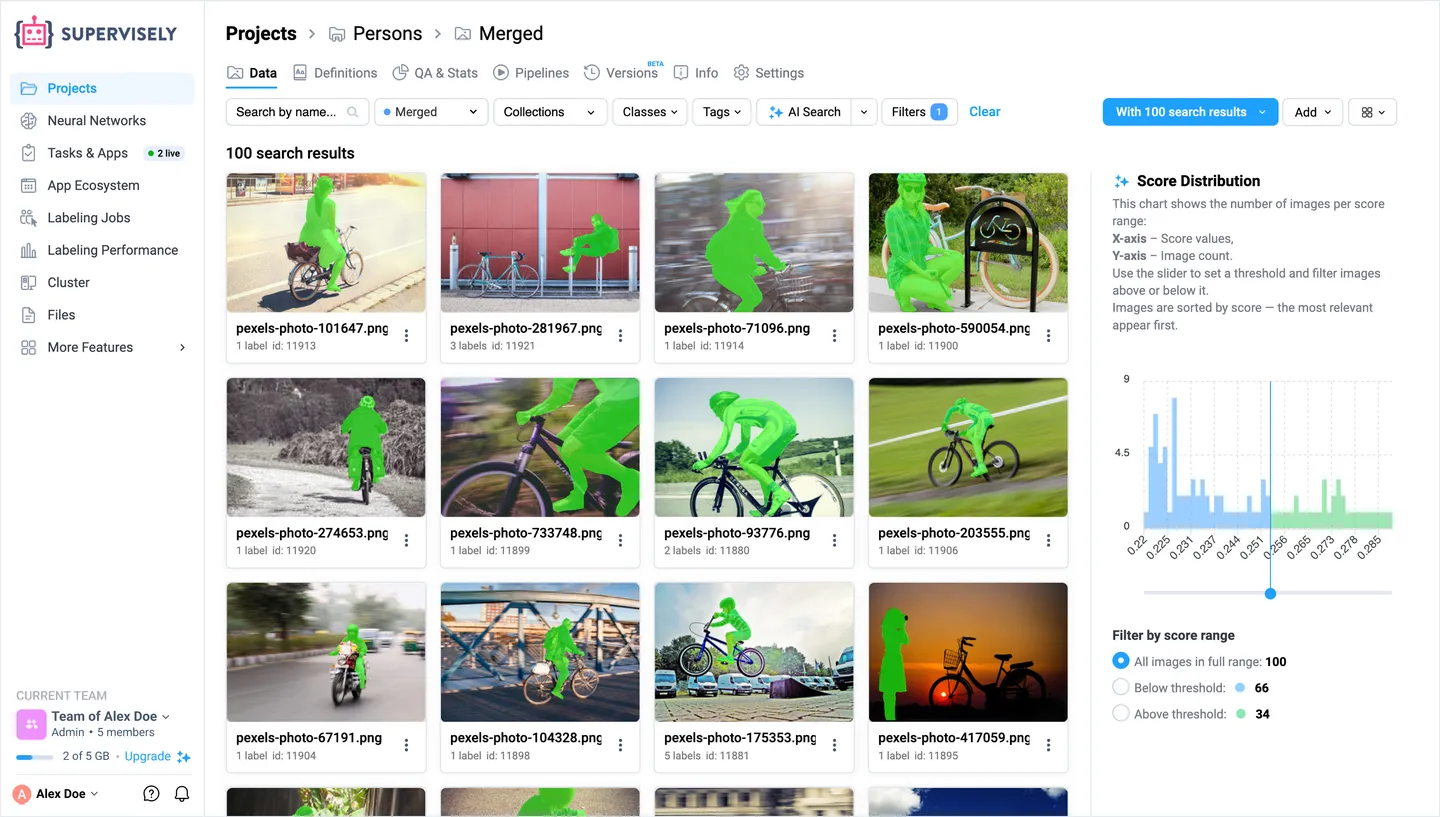
Import COCO, YOLO and other formats, or link the files in your S3, GCS or Azure buckets, then search a whole project by meaning.

  • AI Search by text or example
  • Filters by class, tag or author
  • Collections and versions
  • Pipelines to augment data
AI Search in a Supervisely project: results for “a person riding a bicycle” with masks on the cyclists and a chart of similarity scores
02Annotate

AI annotates, your team stays in control

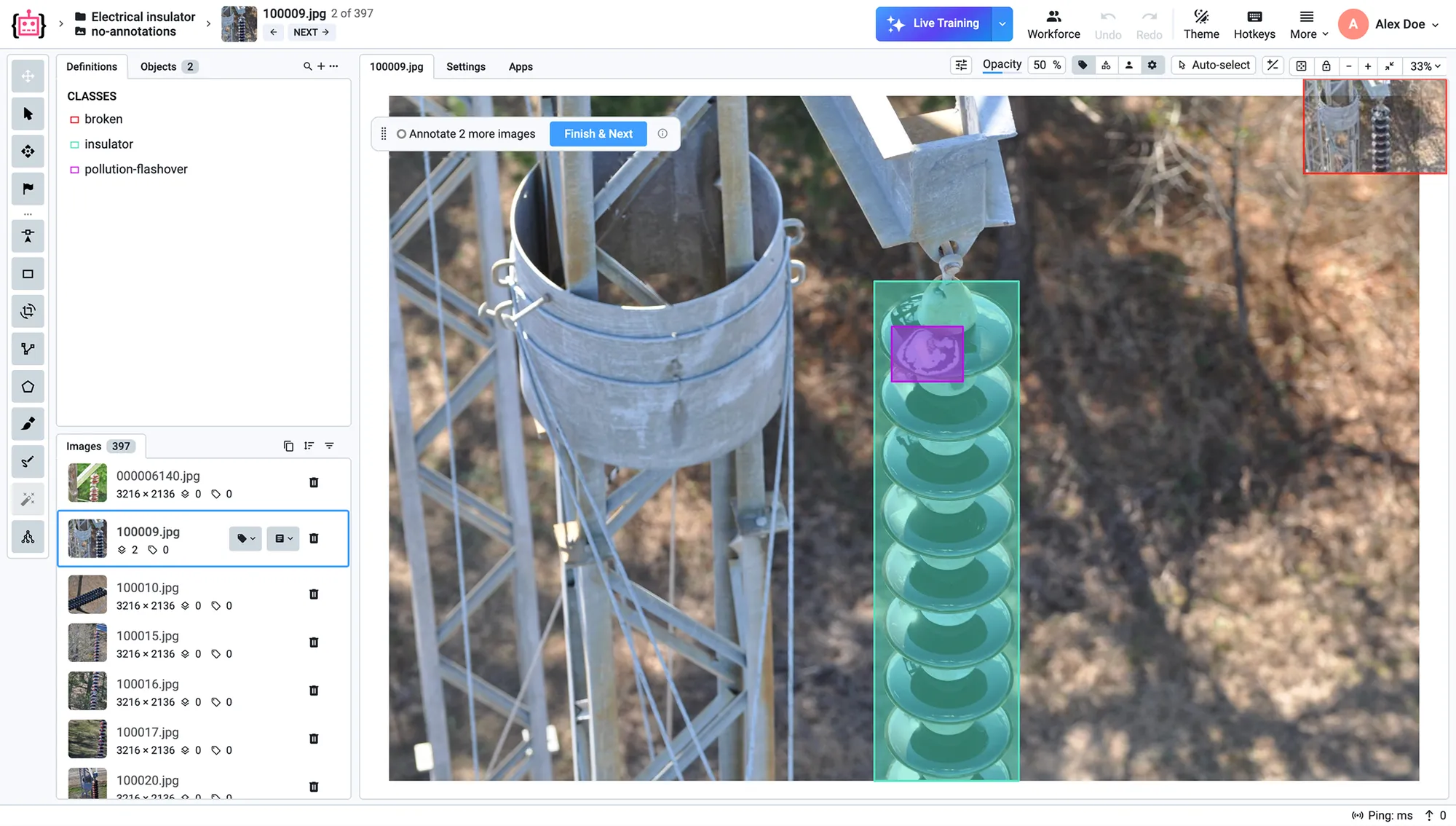
A dedicated editor for images, video, 3D point clouds, medical volumes, meshes and audio. AI assistants label whole datasets or the routine part of each item, and people fix only what they missed.

  • AI assistants and pre-labeling
  • Labels from a text prompt or one example
  • Live training and active learning
  • Your own labeling UI in Python
The Supervisely image labeling toolbox: an insulator on a power line segmented with the Smart Tool
03Review

Review every label

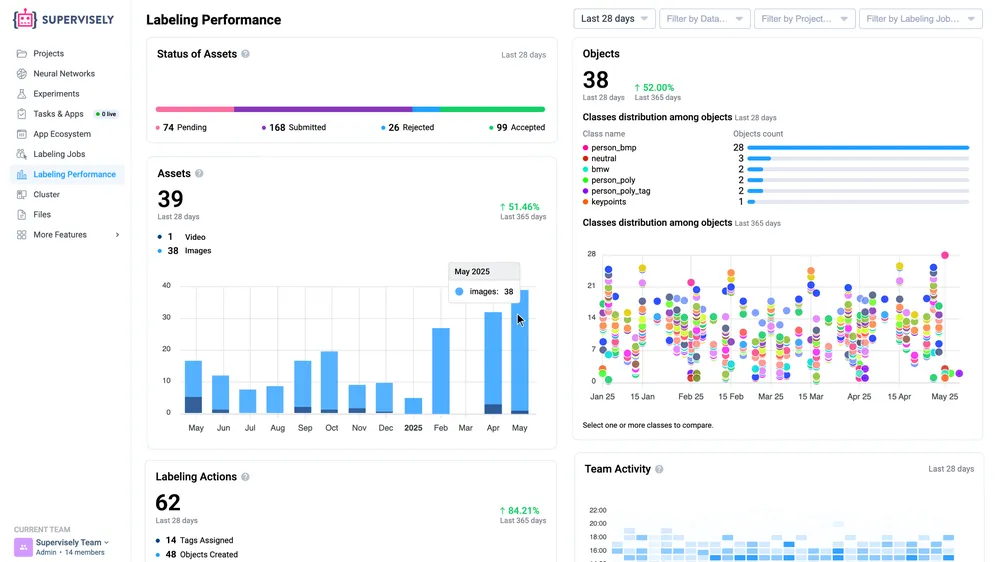
Split the work into labeling jobs and queues, and catch errors before they reach a model.

  • Accept or reject each item
  • Consensus, exams and issues
  • Speed and quality per person
The Labeling Performance dashboard in Supervisely: status of assets, labeled objects by class and team activity
04Train

Train models without code

Fine-tune detection, segmentation and classification models on your labels, on your own GPUs.

  • Any GPU machine, no paid credits
  • Live charts, logs and experiments
  • Export to ONNX or TensorRT
05Evaluate

See where a model fails

Every training run ends with an evaluation report, and every error leads to the images behind it.

  • mAP, precision, recall
  • Errors by class and by image
  • Models side by side
06Deploy

Deploy anywhere, or with one API call

Connect a server, a cloud machine or a laptop as an agent with one command, and serve any checkpoint on it.

  • Prediction API in the Python SDK
  • PyTorch, ONNX Runtime or TensorRT
  • Docker outside Supervisely
  • Your weights: no lock-in
07Improve

Each model labels the next batch

Apply a trained model to fresh data with the Predict App, and the next round of labeling starts from its predictions instead of empty images. Live Training keeps a model learning while your team labels.

A labeling toolbox for every modality, with AI in the loop.

Each type of data gets an editor built for it, not an image editor stretched to fit, and AI assistants work in every one of them: they label the routine part, or all of it, and people check the rest.

Images

Fast on the hardest images: crowded scenes, huge scans and imagery beyond RGB. Boxes, polygons, masks, keypoints and every other shape, with AI drafting the routine part and people checking the rest.

  • Multichannel images
  • Multispectral bands
  • 16-bit with live contrast
  • 1,000+ objects per image
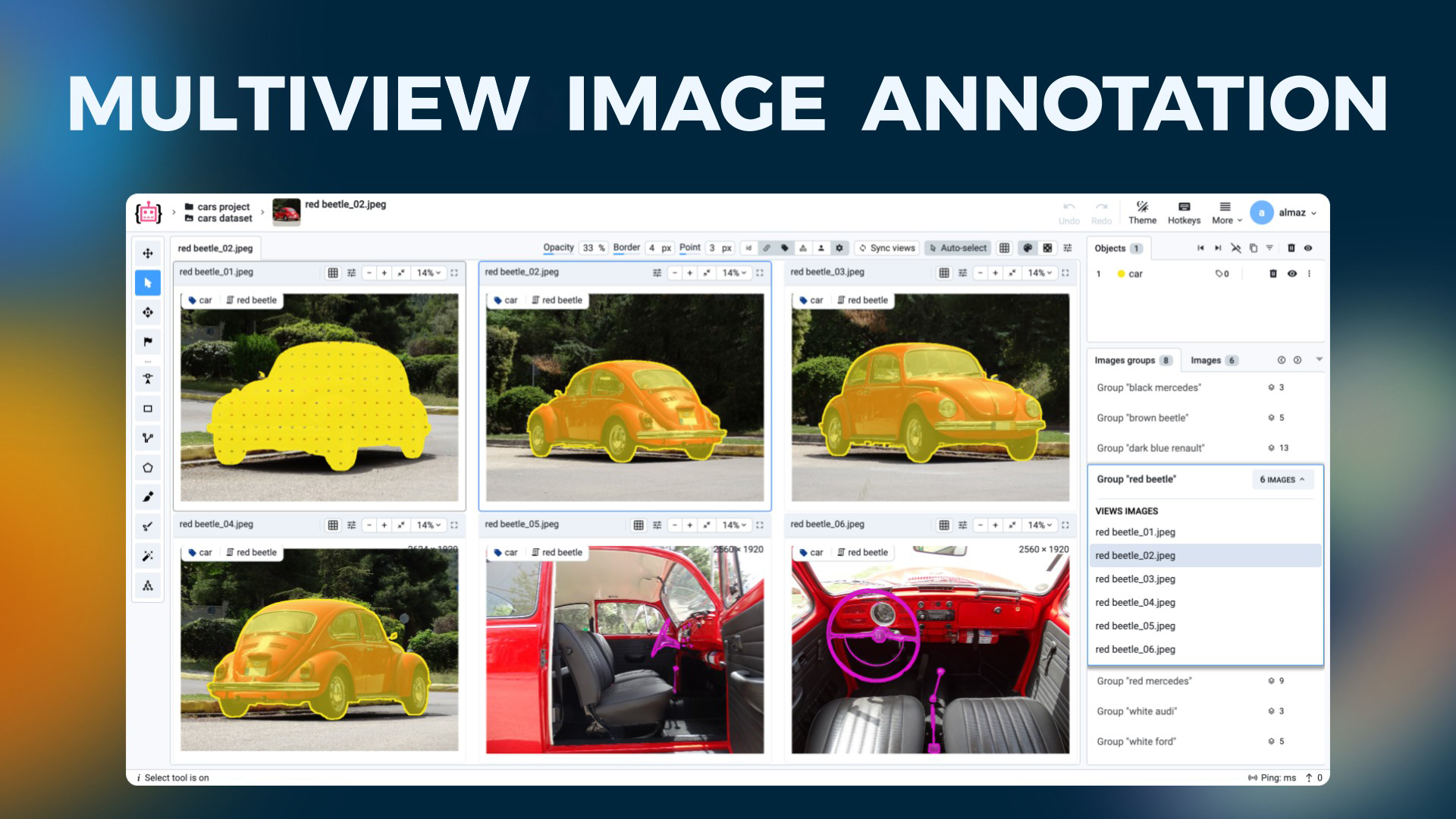
  • Synced multi-view groups
  • Overlays and layers
  • Very large images
  • Calibrated fisheye
  • Soft masks for matting

Video

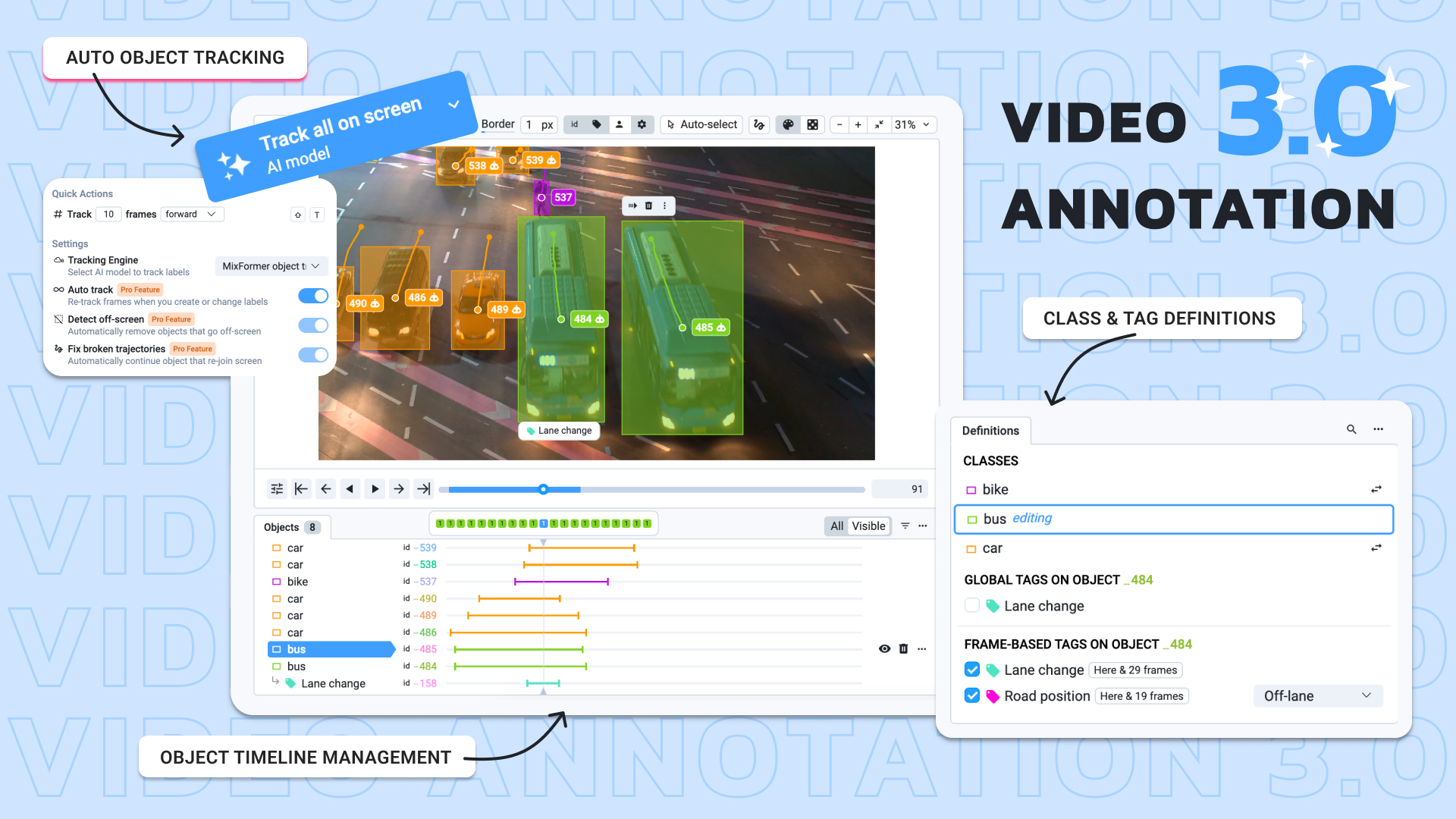
From traffic and retail cameras to sports and surgery: AI follows every object through the footage, people step in only where it loses track, and every event gets its tags on the timeline.

  • AI object tracking
  • Tracking by detection
  • Keyframe interpolation
  • Synced multi-camera
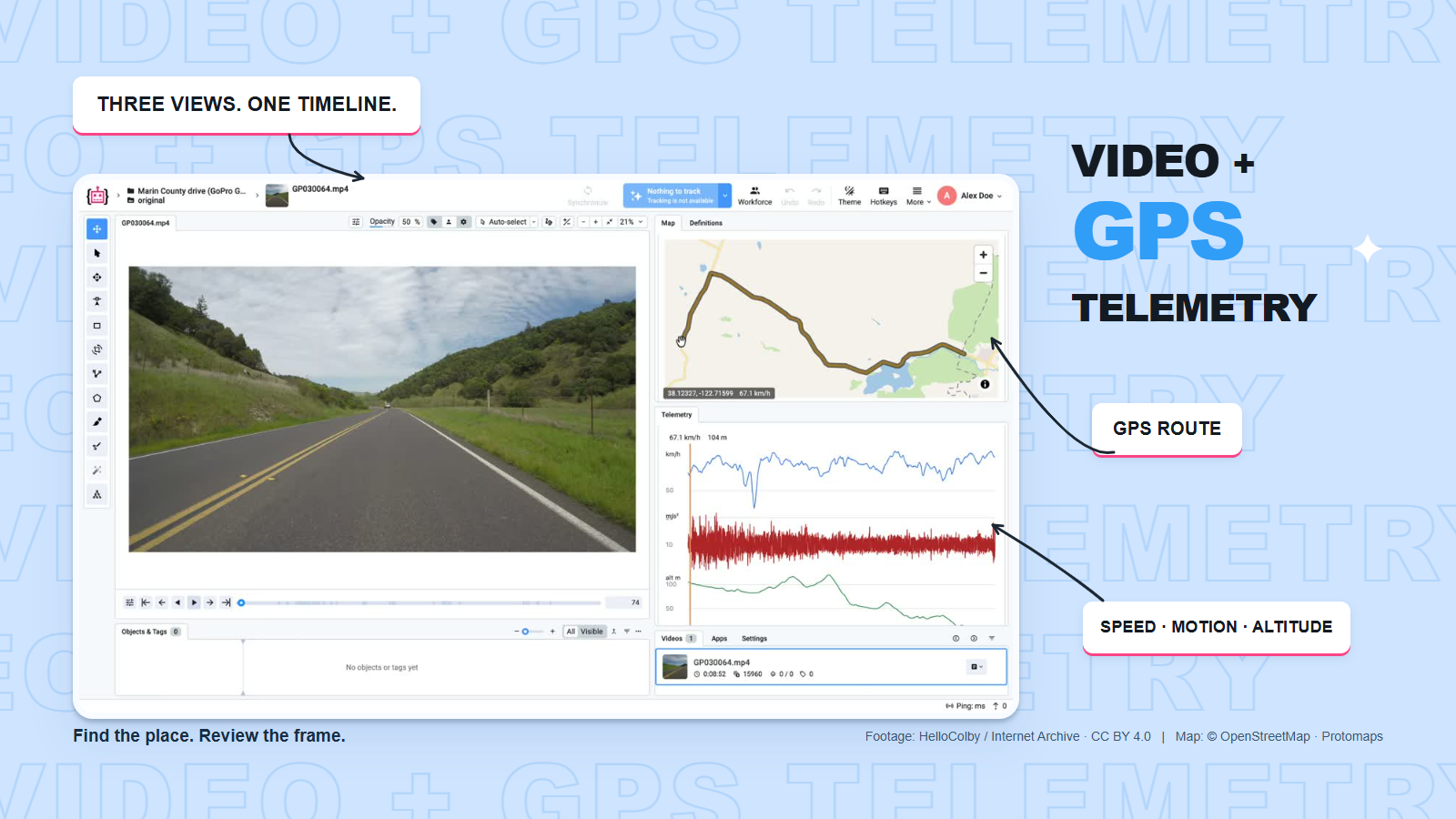
  • Video with GPS telemetry
  • Trajectories
  • Pre-label whole videos
  • Video consensus

3D point clouds and meshes

LiDAR for autonomous driving, robotics and mapping: single scans or whole drives, next to the cameras that saw them, with AI segmenting the ground and fitting and tracking the cuboids for you.

  • LiDAR and camera fusion
  • AI ground segmentation
  • Magic 3D lasso
  • Automatic cuboid fitting
  • Cuboid tracking
  • Point cloud episodes
  • 3D meshes
  • Distance measurement

Medical volumes

CT, MRI and other volumes for radiology and research teams: everything a desktop viewer does, with nothing to install, shared with the whole team, and AI that segments as you go.

  • Nothing to install
  • DICOM, NIfTI and NRRD
  • MPR and 3D views
  • Slice interpolation
  • AI on every slice
  • Your own models
  • Windowing presets
  • Masks to 3D meshes
  • 3D Slicer integration
  • AI assistants

    Draw a box and get a mask, type a class and get every match, or let your own model label first.

    • Smart segmentation
    • Text prompts
    • Label by example
    • Pre-labeling
    • Live Training
  • Audio

    Waveform and spectrogram on one playhead, in the same projects and labeling jobs.

    • Time-range events
    • One channel or all
    • Classes and tags
  • Custom labeling UI

    When no toolbox fits the task, add your own panels and steps to it in Python with App Engine.

    • Ready-made widgets
    • Your own models
    • Runs inside the toolbox
Plus
  • Labeling jobs and queues
  • Review, consensus and exams
  • Issues on any label
  • Roles and workspaces
  • Activity log
  • Labeling statistics
  • Tags with typed values
  • Hotkeys and custom layouts
Everything on the Platform overview

Enterprise Edition. Deployed your way, backed by experts.

Run Supervisely on your own servers or in your cloud, fully offline if you need to, or let us host a private instance for you, isolated from every other customer. Either way, computer vision engineers work with your team from the first day of the trial.

  • Your servers or your cloud

    One server or a Kubernetes cluster, AWS EKS included. Installs and upgrades take one command.

  • Or a private instance we host

    A dedicated Supervisely run by us, isolated from every other customer, when you would rather not run it.

  • Fully offline

    No internet needed: air-gapped networks work, and your data never leaves them.

  • 30-day trial, guided

    On your own servers or ours, with an engineer at your side, and more time if you need it.

  • Computer vision experts on call

    A private Slack workspace with a dedicated success manager, onboarding and training sessions.

  • Tailored to your work

    When a feature is missing, we help build it with Supervisely Apps and custom integrations.

Also
  • Single sign-on with LDAP and OpenID Connect
  • Custom roles
  • AWS S3, Google Cloud and Azure storage
  • HIPAA and anonymization
  • SLA

400+ apps, one click away. And room for yours.

Import and export formats, neural networks, data tools and labeling helpers run as apps inside Supervisely. When none fits, App Engine turns a Python script into an app with a web UI.

Hand it to an agent, or automate it from code.

Connect Claude, Cursor or any other MCP client, and an AI agent works in Supervisely for you: it finds the data, runs your models, sets up labeling jobs and reports back, with your permissions and nothing more. Under it are the open-source Python SDK and the REST API, which reach everything the UI does.

MCP
For AI agents
Apache 2.0
Open-source Python SDK
REST
Full API reference
supervisely · local
  1. Pre-label the new Line 04 images with our defect detector, then send them to review.
  2. Search projects Defect inspection · line-04 · 1,284 new images
  3. Run model defect-detector · 1,284 images pre-labeled
  4. Create labeling job Review · Line 04 · 3 reviewers
  5. Done. All 1,284 images are pre-labeled and waiting in “Review · Line 04” for three reviewers.
import supervisely as sly

api = sly.Api.from_env()

# Create a project and upload a batch of images
project = api.project.create(WORKSPACE_ID, "Defect inspection")
dataset = api.dataset.create(project.id, "line-04")
api.image.upload_paths(dataset.id, names, paths)

# Pre-label everything with a model deployed in Supervisely
model = api.nn.connect(task_id=MODEL_TASK_ID)
model.predict(project_id=project.id, upload_mode="append")
# Every action in the UI is available over the API
curl -X POST \
  https://app.supervisely.com/public/api/v3/projects.list \
  -H "x-api-key: $API_TOKEN" \
  -H "Content-Type: application/json" \
  -d '{"workspaceId": 42}'

Here’s why teams trust us.

“Immensely grateful for their pivotal role in our work”

Working with Supervisely has significantly enhanced our capability to develop AI models for lung CT scans. What sets Supervisely apart is its exceptional support team who are really responsive and adapt to our unique needs with a range of apps and helper files.

University College Dublin

“Helps us to do data scientist work better and faster”

We use Supervisely since 2019. The key advantage of this tool is that Supervisely provides a complete data treatment pipeline. An important advantage is that a Supervisely instance can be deployed autonomously on a Client infrastructure, and distributed on different servers.

ENGIE

“A valuable part of our computer vision operations”

Supervisely is a valuable part of our computer vision operations, enabling our teams to efficiently work with camera and LiDAR data across sensor fusion projects. We use Supervisely for its extensive feature set and its ability to adapt to our changing requirements.

Renault Group

“Extremely satisfied with Supervisely and would highly recommend it”

The review tools have been invaluable in ensuring the quality and accuracy. The Python SDK has also been incredibly helpful in automating and streamlining our workflow. The support team on Slack has been extremely helpful and responsive.

EEVE

“Supervisely excels at that and much more”

We’ve been exceedingly impressed with the customer support, addition of new features, and the flexibility of the publicly available SDK/API. The Supervisely team has also been fast to respond to support questions, and has shown a lot of openness when given feedback on potential improvements.

Resson

Latest from the blog

All posts
Oct 27, 2026

Scalable Polygon Annotation: Clean, Aligned Boundaries for Geospatial Data

Oct 12, 2026

Introducing Video + GPS Telemetry: Synchronize Footage, Maps, and Sensor Data

Feb 4, 2025

Ultimate Guide On Multiview Image Annotation For Custom Training Datasets in Computer Vision

Oct 16, 2024

Introducing Video Annotation 3.0